ls /Applications | grep KV

Small Mac apps we build and ship ourselves

Alongside client work we make small native macOS apps and release them ourselves. Each one solves a single everyday problem, starts fast and is private by default.

Apps

Three tools, one job each

Free to download as a DMG. All three run on macOS 13 Ventura or later, on Apple Silicon and Intel Macs.

KV-TabFinder

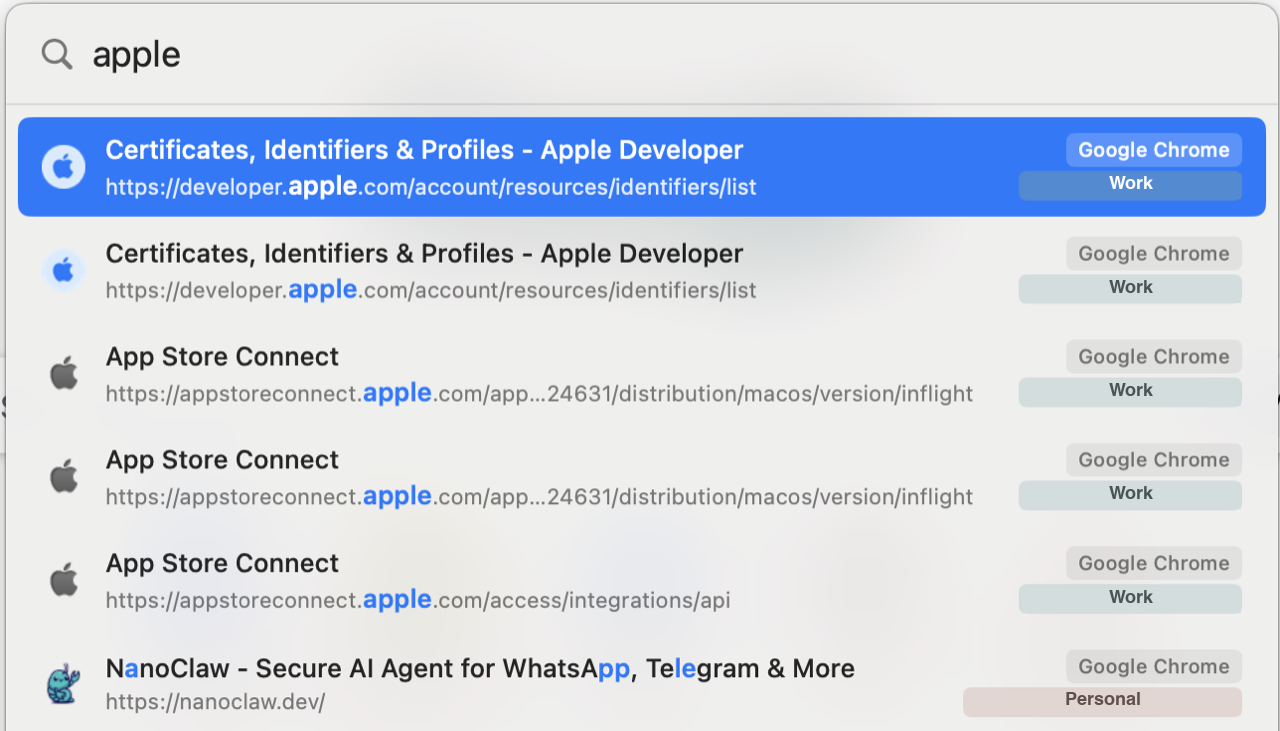
Spotlight-style tab search for macOS. Press a shortcut, get every open tab across Safari, Chrome, Chromium, Arc, Brave, Edge, Vivaldi and Opera in one searchable list, and press Enter to jump to it.

  • One list for every browser — tabs from all supported browsers appear together.
  • Fuzzy search over both title and URL: gh pr finds “GitHub Pull Request”.
  • Chrome profiles stay apart — a colored badge per account separates work and personal tabs.
  • Real favicons on each row, read from the browser's own favicon cache.
  • Configurable shortcut (⌥⇥ by default) and launch at login. The app reads only tab titles and URLs.
  • macOS 13 Ventura or later
  • Apple Silicon
  • Intel
KV-TabFinder search panel: the query “apple” lists matching Chrome tabs with titles, URLs and a badge for each browser profile

KV-TextCatcher

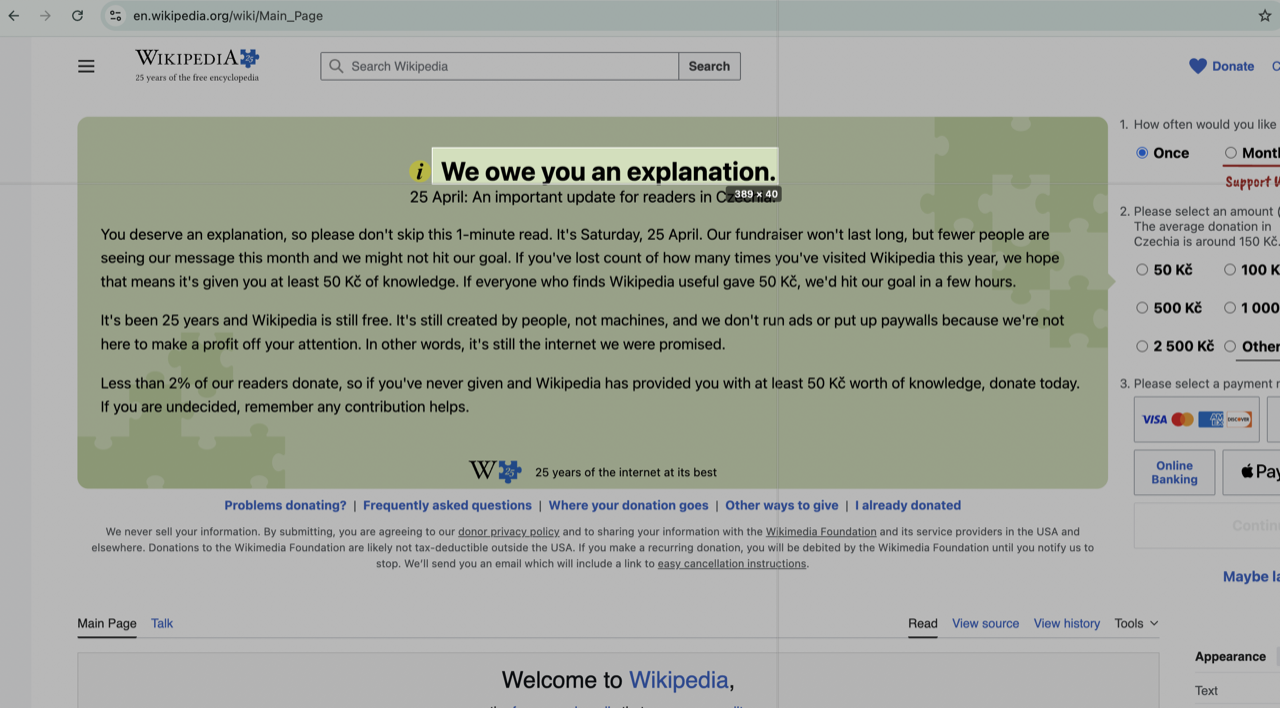
Menu-bar OCR for macOS. Press a hotkey, drag a region of the screen, and the recognised text is in your clipboard. It lives in the menu bar, with no Dock icon.

  • On-device recognition through Apple's Vision framework: no network calls, no accounts, no telemetry.
  • Automatic language detection — Latin, Cyrillic, Chinese, Japanese, Korean, Arabic and more, depending on the macOS version.
  • Passive selection overlay that does not steal focus, so transient panels and previews can be captured too.
  • Alignment guides at the cursor; cancel with Escape or a right-click.
  • Signed with a Developer ID and notarised by Apple. The default hotkey is ⌘⇧9 and can be changed.
  • macOS 13 Ventura or later
  • Apple Silicon
  • Intel
  • Screen Recording permission
KV-TextCatcher selection overlay over a web page: a rectangle drawn around a headline, with alignment guides and the selection size in pixels

KV-MD

A fast, lightweight Markdown viewer for macOS. It opens .md files instantly and renders them without the weight of an editor, an Electron runtime or a notes database. Double-click a file in Finder and read.

  • Instant — parsed natively by GitHub's cmark-gfm; even multi-megabyte files paint their first screen in about 100 ms.
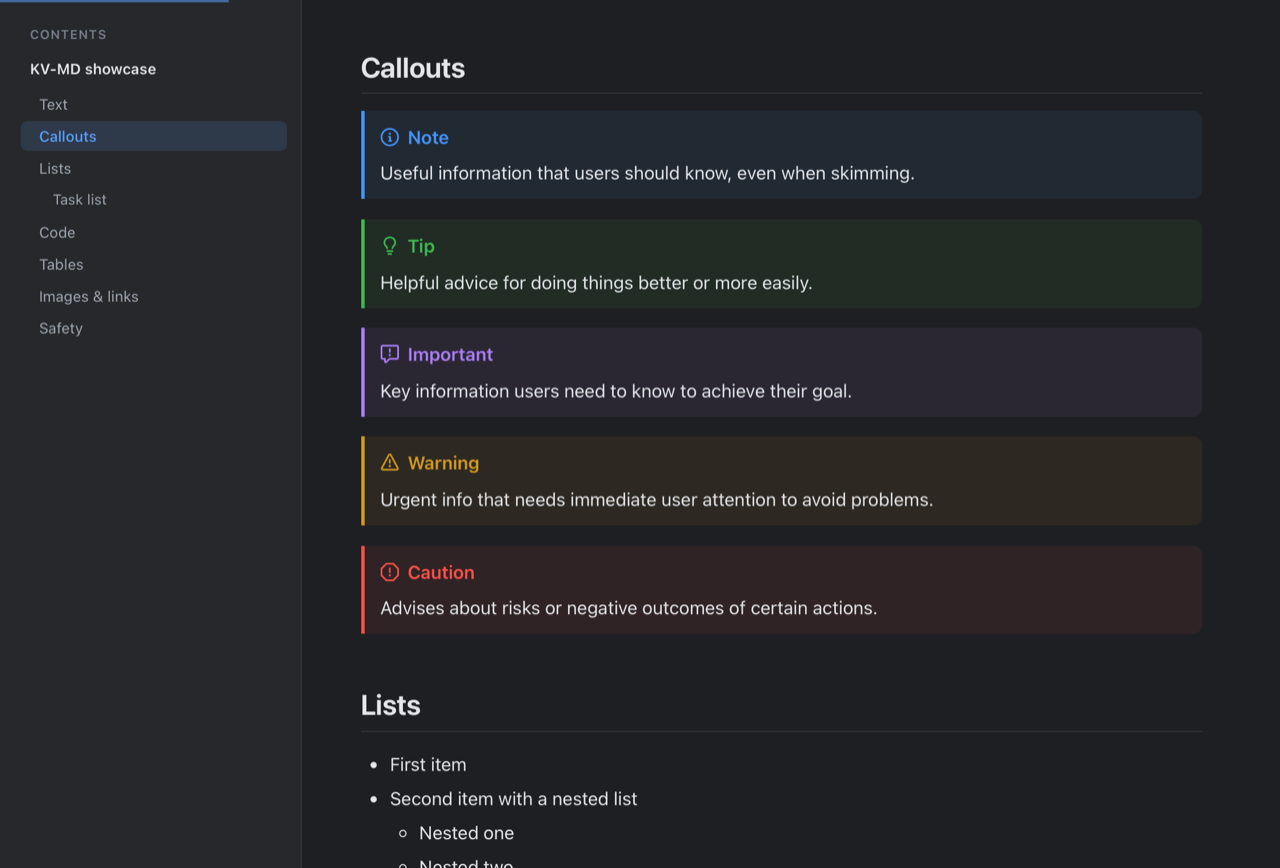
  • GitHub Flavored Markdown: tables, task lists, footnotes, front matter and GitHub alerts rendered as callouts.
  • Syntax highlighting for about 35 languages, with a Copy button on every code block.
  • Table of contents sidebar that follows your scroll position.
  • Live reload — edit the file in any editor and the view updates in place. No accounts, analytics or telemetry.
  • macOS 13 Ventura or later
  • Apple Silicon
  • Intel
KV-MD in dark mode: a table of contents sidebar on the left and a document with Note, Tip, Important, Warning and Caution callouts
Same team

The people who ship these apps build client systems too

If you need AI integration, high-load engineering or a security review, describe the task in a few lines. We reply within one working day.

Discuss a project